
Inside lo-rain’s original settings
The original lo-rain settings recording preserves the small choices behind the desktop effect: how rain moved, what it looked like and the extra atmosphere around it.
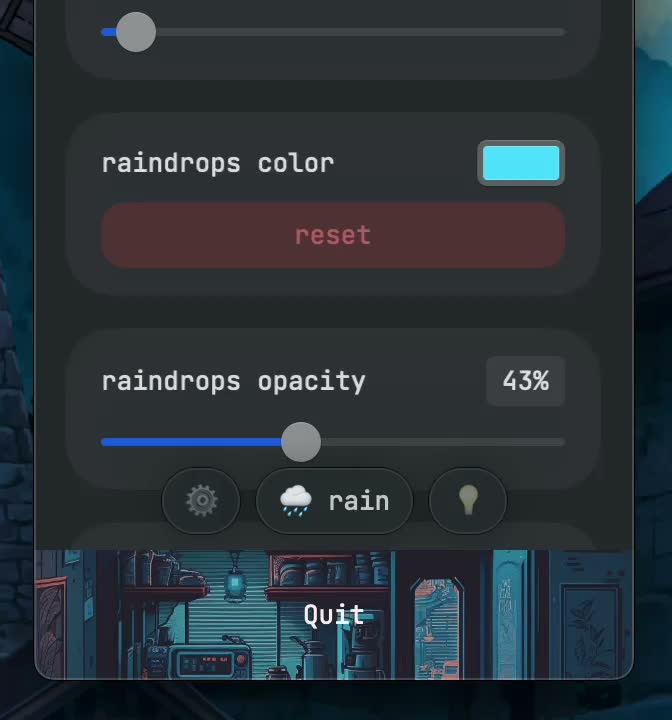
Movement had several controls
Speed and angle changed the motion of the rain. Looking at these controls together explains why two versions of the effect could feel different even when the same desktop was visible behind them.
Frame rate was another part of the original interface. The recording is valuable because it shows these controls in the application itself, rather than describing the effect only through a static screenshot.
Color and atmosphere
Color helped the rain fit the appearance of the desktop. The app also included fireflies, which added a different kind of motion and light to the scene.
When exploring the recording, compare the settings panel with the full desktop demonstration. The panel shows the available choices, while the demonstration shows the resulting relationship between rain, application windows and the Dock.
Use the recording as a product reference
The settings recording is archived from June 2023. It belongs to the historical lo-rain application, which is currently unavailable. The product page keeps both this recording and the original desktop demonstration together.
These materials are especially useful for writing about the lo.cafe collection or studying the appearance of the original app. For a current lo.cafe Mac application, the NotchNook page links to its active download and trial.
Resources
Continue reading.
lo-rain: the original desktop rain app
Explore lo.cafe’s original lo-rain app, its desktop overlay, Dock splashes and archived demonstrations.
Read →The lo.cafe app collection: Mac and iPhone
Explore NotchNook, lo-rain and Winston, with their platforms, current destinations and original product materials.
Read →Your first 48 hours with NotchNook
A practical two-day trial plan for NotchNook, using your own music, calendar, notes and files.
Read →